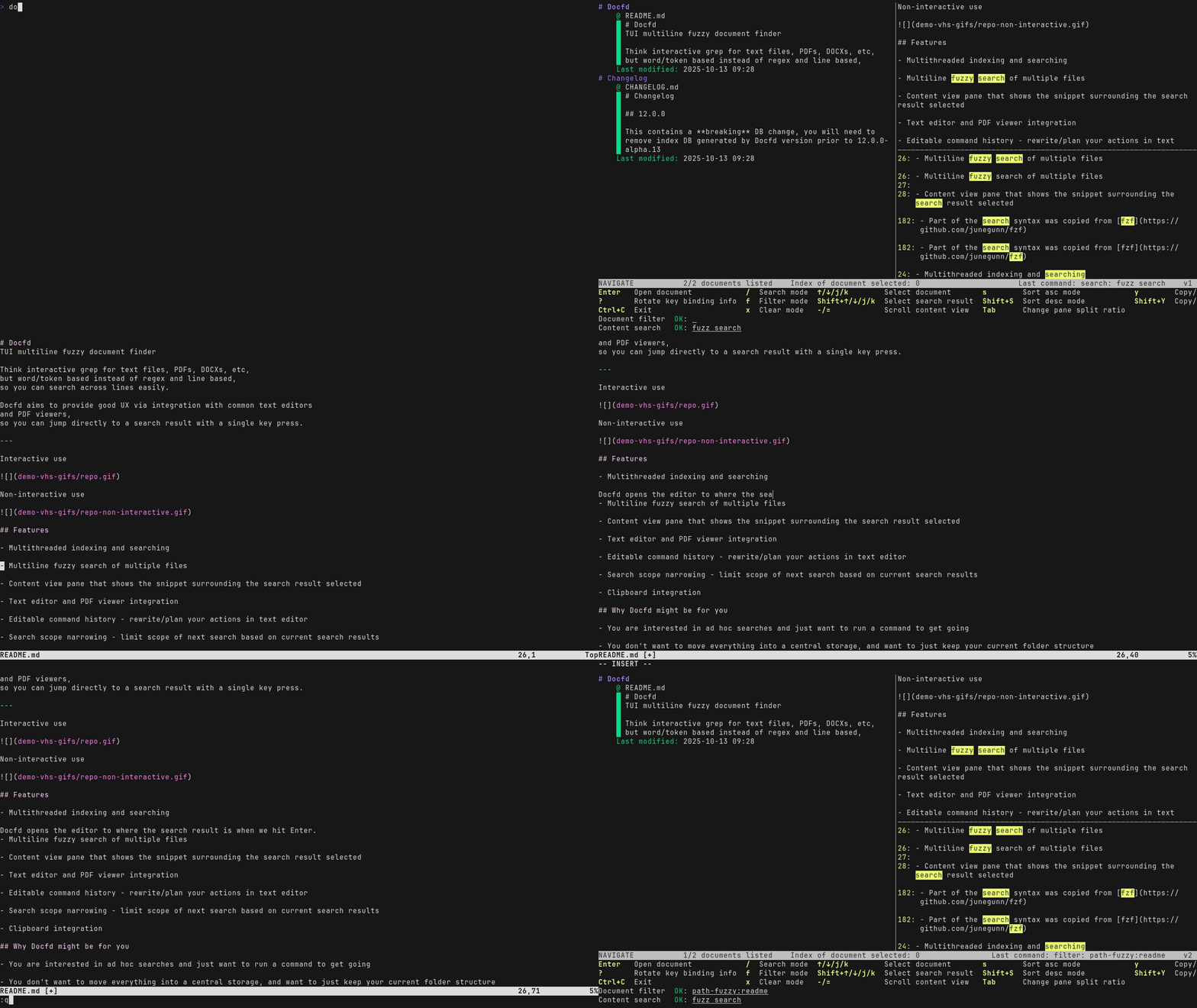
Online Demo | User Guide | GitHub
Docfd is local document search tool with a Terminal User Interface (TUI) that allows you to fuzzy search for a phrase across multiple lines, across text files, PDFs, DOCX, etc.
Compared with other local search tools, Docfd supports a more ad hoc search style. Users are not required to set up a managed central document repository or preconfigure which folders in their home directory should be included or excluded. Instead, Docfd processes unindexed files on demand when invoked, defaulting to scanning the current directory recursively. Because it does not periodically index files in the background, its CPU and memory use occurs when the user explicitly runs it, reducing the possibility of unexpected resource usage disrupting other desktop applications.
Docfd utilises OCaml 5 and Eio for multithreading, and uses a custom search engine backed by on-disk SQLite DB.
Docfd is designed for personal or small-office collections of up to roughly a thousand documents. Its main design targets were quick cached startup, acceptable fresh indexing time, and modest memory use on an ordinary laptop. These constraints led to on-demand indexing and a disk-backed inverted index, trading large-corpus performance for a smaller desktop footprint.
Read about the design constraints and alternatives considered.
This section demonstrates what using Docfd feels like and connects the visible behaviour to the engineering behind it. For operating instructions, see the getting started tutorial.
The primary interactive recording will use the Docfd repository itself as the corpus. This makes the example real rather than staged: the initial result set can span implementation files, interfaces, cram tests, documentation, and the release history.
docfd --exts=md,txt --single-line-exts=ml,mli,t .TODO: Make recording to show:
- Search for
filteracross the repository.- Show matches from source, tests, and
CHANGELOG.md.- Apply a path-fuzzy filter for
lib.- Replace it with a path-fuzzy filter for
cram.- Navigate to and open a source result in the editor.
- Undo the filter change to demonstrate session history.
TODO: Record the workflow and explain how asynchronous search, cancellation, path ranking, editor integration, and snapshots contribute to the visible interaction.
A shorter second recording will use public-use NASA technical reports
to show document conversion and direct navigation to a PDF result. A
query such as verification and validation,
requirements traceability, or a deliberately misspelled
technical phrase should produce results across several reports.
TODO: Make recording to show:
- Start Docfd over a directory containing several related PDFs.
- Search for a phrase that returns matches in several documents, including a match that crosses line breaks within one document.
- Filter the results by a meaningful filename or subdirectory such as
software-processorcoding-standards.- Open a selected result at the matching PDF page.
TODO: Select the final public-use corpus, record the workflow, and add source attribution next to the recording.
TODO: Describe the non-interactive and scripting workflow shown above.
Docfd also provides a non-interactive mode for scripting uses:
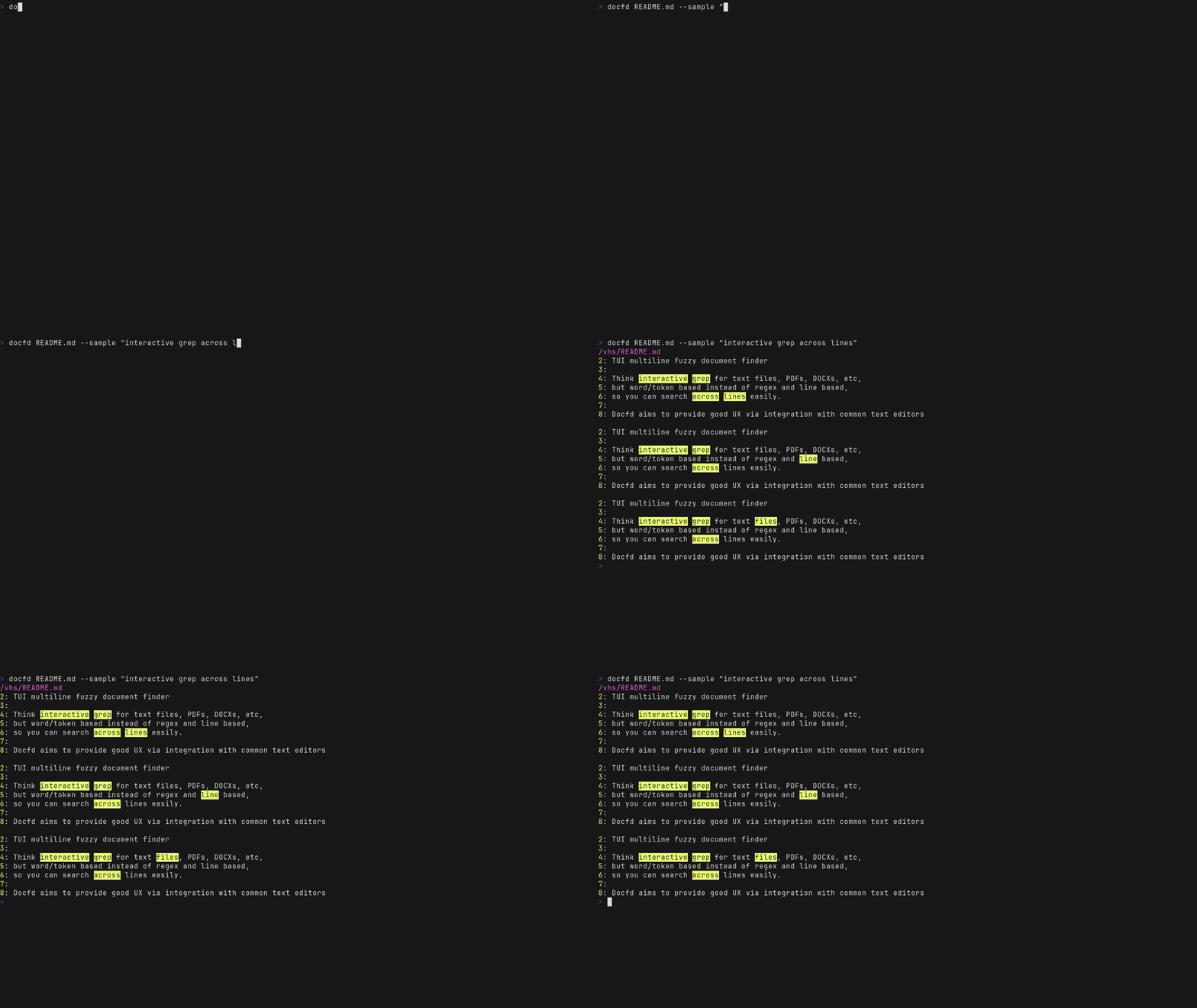
But since this is not the primary use case, and some gaps remain, e.g. structured JSON output of search results.
TODO: Add a compact architecture diagram covering document conversion and tokenization, the SQLite inverted index, parallel search, session worker/manager, snapshots, and the Lwd/Nottui UI.
TODO: Summarise the ownership and concurrency boundaries between the UI domain, session manager, worker domain, executor pool, and SQLite connection pool.
Docfd is tested in two ways: CLI behavioural tests (cram tests), and direct testing of internal components.
For the cram tests, initial basic test cases are added as part of development, with the more complicated test cases slowly accumulated as I dogfood Docfd. The main benefit is to establish a corpos of expected behaviour and to guard against regression in future releases systematically. These include:
| Test suite | Description |
|---|---|
file-collection-tests |
Recursive scanning behaviour, e.g. scan depth, filter by extension and glob, filtering precedence |
line-wrapping-tests |
Text rendering with line wrapping at word boundary, and word breaking as last resort when width is less size of word |
misc-behavior-tests |
Temp file handling when text is piped through stdin, search result
printing with --underline formatting flag |
printing-tests |
Non-interactive mode search result printing behaviour |
match-type-tests |
Search expression edge cases testing |
open-with-tests |
--open-with variable substitution and command
invocation |
non-interactive-mode-return-code-tests |
Exit code of Docfd command in non-interactive mode |
search-scope-narrowing-tests |
Correctness of search scope narrowing |
script-tests |
Docfd script loading and lookup behaviour |
config-tests |
Docfd config loading behaviour |
Since the CLI interface of Docfd can already trigger majority of the code paths, direct testing of the internal library components is not heavily utilised. Though some particularly error prone components are directly tested in the form of unit tests:
Docfd follows Semantic Versioning
(SemVer), with the occassional suffices such as -alpha.X
when the some design decisions are still in flux and committing to
SemVer fully would have lead to many version bumps.
Releases for tagged versions are built through GitHub CI/CD pipeline, which was chosen for convenience and for macOS build support. Prior to adding macOS builds pipeline, Docfd was more or less following the reproducible build principle with version locking via opam lockfile (opam is the go-to package manager for most OCaml users). But since opam lockfile is not yet crossplatform (as of 2026 Sep 3), the use of lockfile was dropped.
In principle there are ways around, e.g. run the project dependency tracking file through a script to lock down the concrete versions, but this was not explored further as this is fairly low priority for a non-safety-critical project such as Docfd.